Cactus Fight
A competitive multiplayer arena game built entirely solo on Unreal Engine 5 — from idea and prototype to a working networked build on Steam, with 95% of the game in Blueprints and no AI-assisted coding.
Arenas built for chaos
Cactus Fight is a competitive multiplayer arena game with short, dynamic rounds — and a full solo production run on Unreal Engine 5: idea, prototype, three hand-built levels, combat systems, networking, UI and shipping builds, all by one person.
Server logic, RPCs and replication of characters, items, UI, scoring and game events were built by hand — from the first prototype to Development and Shipping builds tested across multiple machines.
Engine Unreal Engine 5
Team Solo
Code 95% Blueprints · C++
Network Listen Server · Steam
Levels 3 maps
Status Playable net build
The entire game is built in Blueprints — NO AI code
Gameplay, combat, items, levels' interactive machinery, UI, settings and the full multiplayer stack — all hand-built in Unreal Engine Blueprints, with C++ used point-wise where it was cleaner or faster. A deliberate constraint: the goal was to master Blueprints end to end — to know exactly how every system in the game works, because I built each one myself.
From prototype to networked build
Game design
The competitive concept: short rounds, a clean loop and scoring that keeps tactics shifting.
Concept & game loop
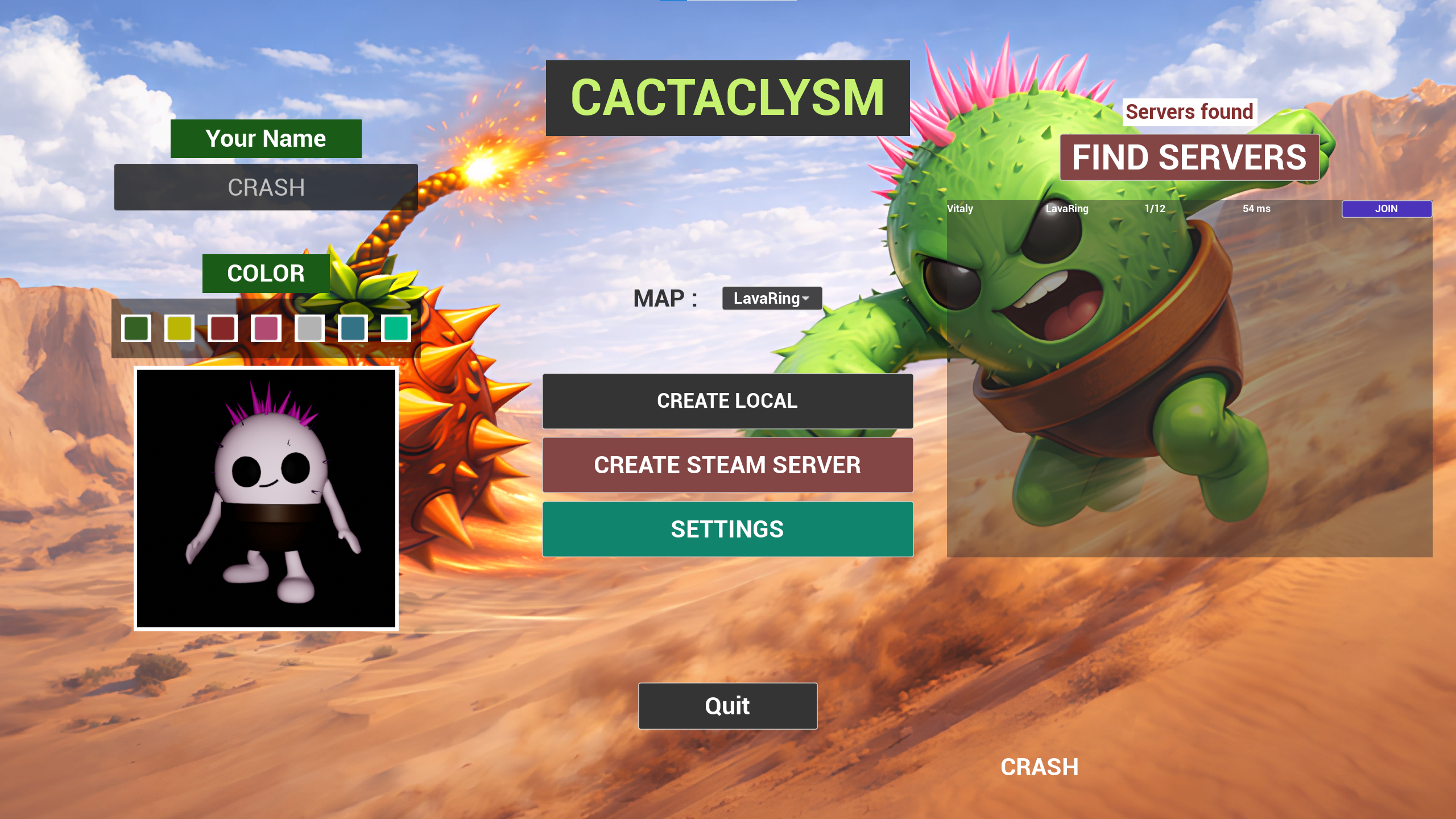
A competitive multiplayer arena with short, dynamic rounds and a clean loop: main menu → create or find a server → map select → round → standings → next round. Multiple ways to score points keep players switching tactics mid-match.
Balance
Weapons, abilities, pickups, character speed, round length and map hazards are balanced against each other — so no single tactic dominates and every round stays contested to the end.
Level design
Three hand-crafted levels where fights happen by design, not by accident.
Three levels
I designed and built Lava Ring, Sky Fall and Tower Tangle so the main fights happen around key zones and items — not at random. Geometry, routes, verticality and primary clash points are deliberate: safe paths, risky shortcuts and high-activity zones, with scoring zones, items and interactive machines placed for match pacing and balance.
Combat-readable layouts
Distances, cover and open spaces account for both ranged and melee combat. Jump distances are calculated for normal and vertical gameplay — double jump and high-bounce items included. Spawn points, death zones and a safe-respawn system round it out, with environment art, materials, lighting and visual readability tuned per level.
Interactive map hazards
Fall Guys-style Wall Punchers that knock players off platforms, a Turret a player can mount and fire, a Ball Cannon that launches big physics balls at the press of a button, moving floors and platforms. Traps are placed to influence fights — without making the outcome random.
Build the gameplay
Combat, movement, items and a server-side scoring system that drives every round.
Combat & movement
Ranged shots plus melee with knockback, all processed server-side: hits, damage and game events. Attacks use cooldowns, double-fire protection and an input buffer; movement gets a double jump, Coyote Time, moving-surface handling, knockback and launch physics. Attack sync issues between server and clients were tracked down and fixed.
Items & pickups
A pickup system where players grab an item into a free slot or swap it with a dedicated button: heals, score stars, Grenades, a Spiky Hook that pulls enemies in, and a Spring that launches you skyward. The full lifecycle is implemented — spawn on map, pickup, swap, use, respawn.
Scoring & rounds
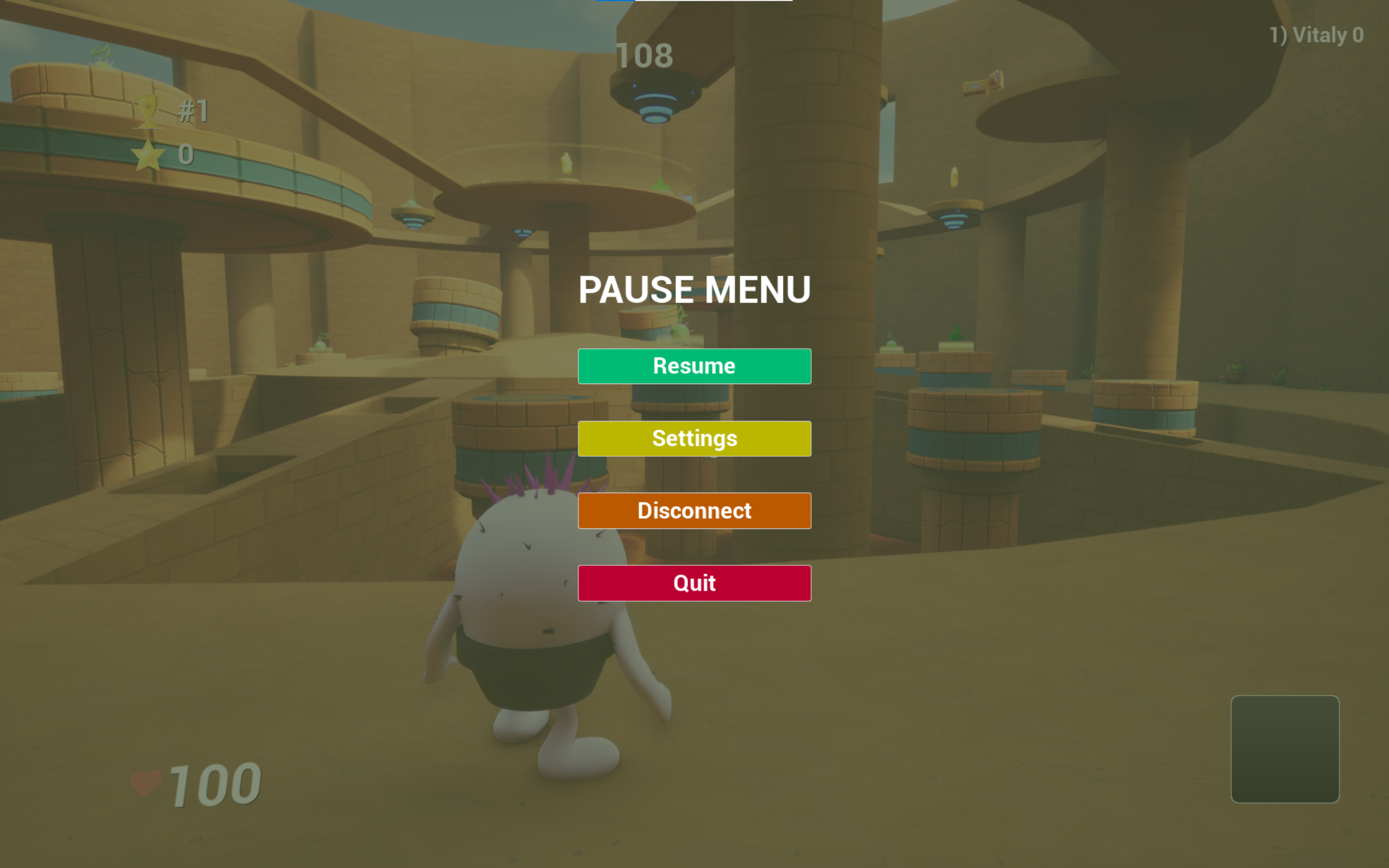
A single server-side scoring system for every point source, with real-time score updates and an auto-sorted player list. Round timer, start and end, state reset and next-round transition are all handled; highly visible capture zones grant a point per second and become the maps' main battlegrounds. Each round ends with a standings screen.
Make it multiplayer
Hand-built networking in Blueprints, plus Steam sessions and a server browser.
Networking & replication
Networked play on a Listen Server model: Server, Client and Multicast RPCs, authority checks and replication across gameplay systems. Characters, attacks, shots, items, scores, animations and interactive objects stay in sync; Seamless Travel between maps preserves nickname, cactus color and session data. A respawn-point picker prevents players spawning inside each other, and host/client desyncs were hunted down and fixed.
Steam & sessions
Integrated Steam Online Subsystem and Advanced Sessions: creating, searching, joining and leaving multiplayer sessions, with a server browser showing host name, selected map and player count.
Polish & ship
UI, personalization, settings — and the profiling that keeps a networked game smooth.
UI, personalization & settings
Main menu, map select, server browser, HUD and standings, with a player list live-sorted by score. Players edit their nickname and pick a cactus color — or the Steam nickname is used automatically. Video settings (resolution, window mode, graphics quality), music and SFX volumes, mouse sensitivity — all saved and auto-applied.
Optimization, QA & builds
Profiled the Game Thread, Render Thread, GPU and network load; optimized materials, lighting, interactive actors, timers and widgets. Long soak tests caught gradual performance decay, replication of score, UI, nicknames, colors and objects was verified, and debugging leaned on logs, console commands and Unreal Insights. Tested across multiple clients and machines; prepared Development and Shipping builds.